 Gameya Book دفتر الجمعية
Did I pay this month or not?
Every payment is recorded with its date, so you know in a second.
Who paid, who's late, and whose turn is it to collect? Keep your gameya on your phone, from the draw to the last payout.
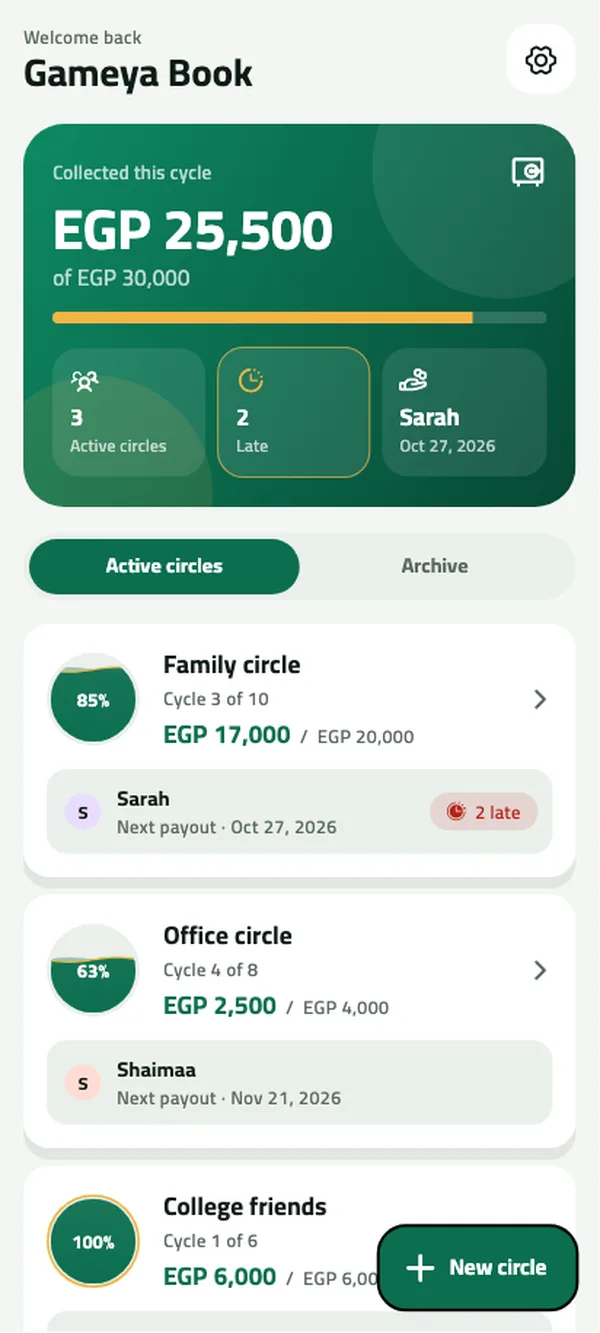
A sheet in a drawer, messages in the family group, numbers in your head. Gameya Book puts it all in one place.
Did I pay this month or not?
Every payment is recorded with its date, so you know in a second.
Whose turn is next?
A dated payout schedule that everyone can follow.
How much does Khaled still owe?
Partial payments are tracked and the balance is always there.
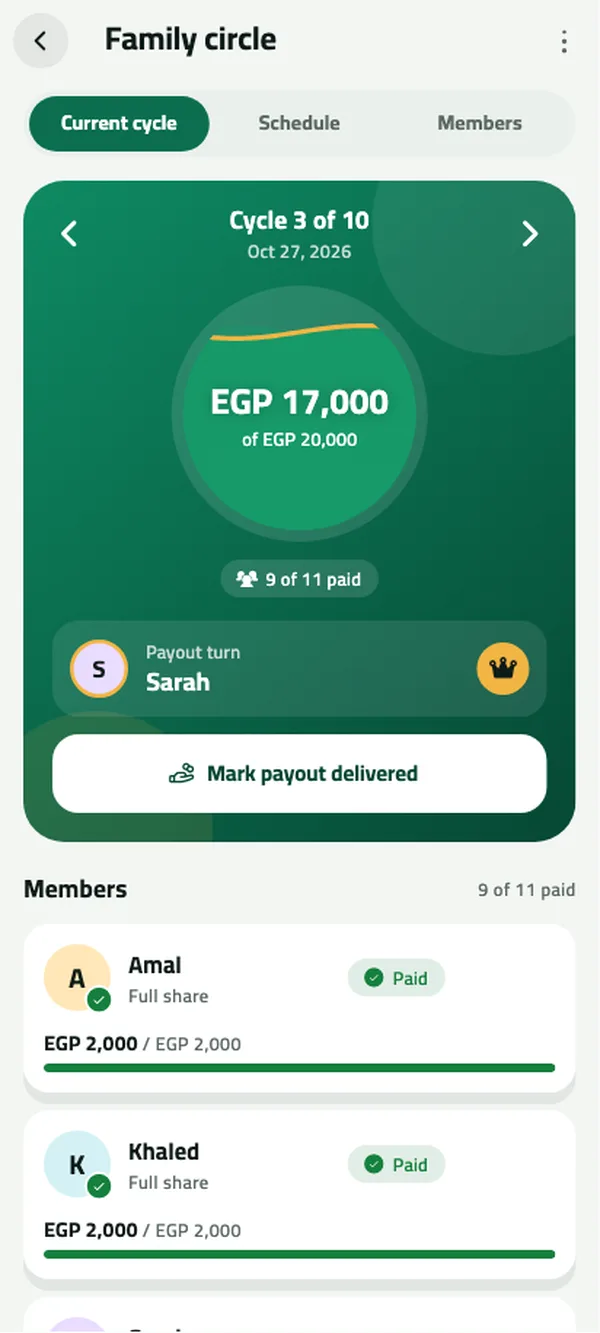
Each cycle has its own page: what's collected, what's left and who's late. When everyone has paid, mark the payout with one tap.
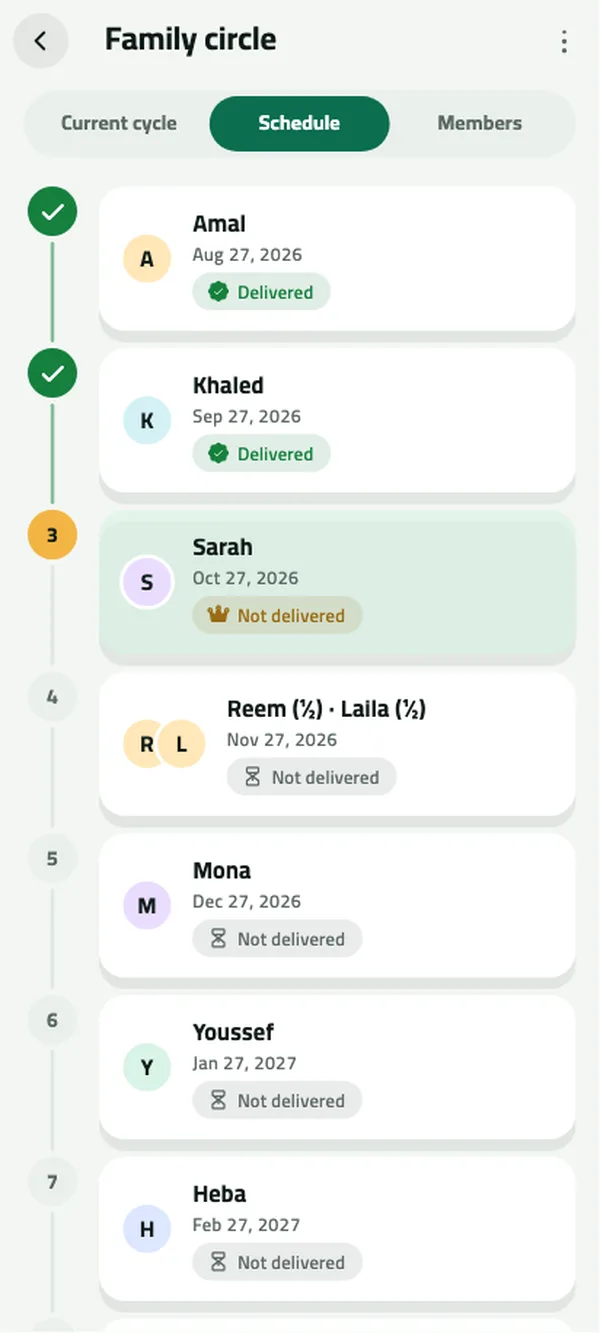
Order the turns yourself or run a draw, and the app works out every date. Two people want to share one turn? No problem.
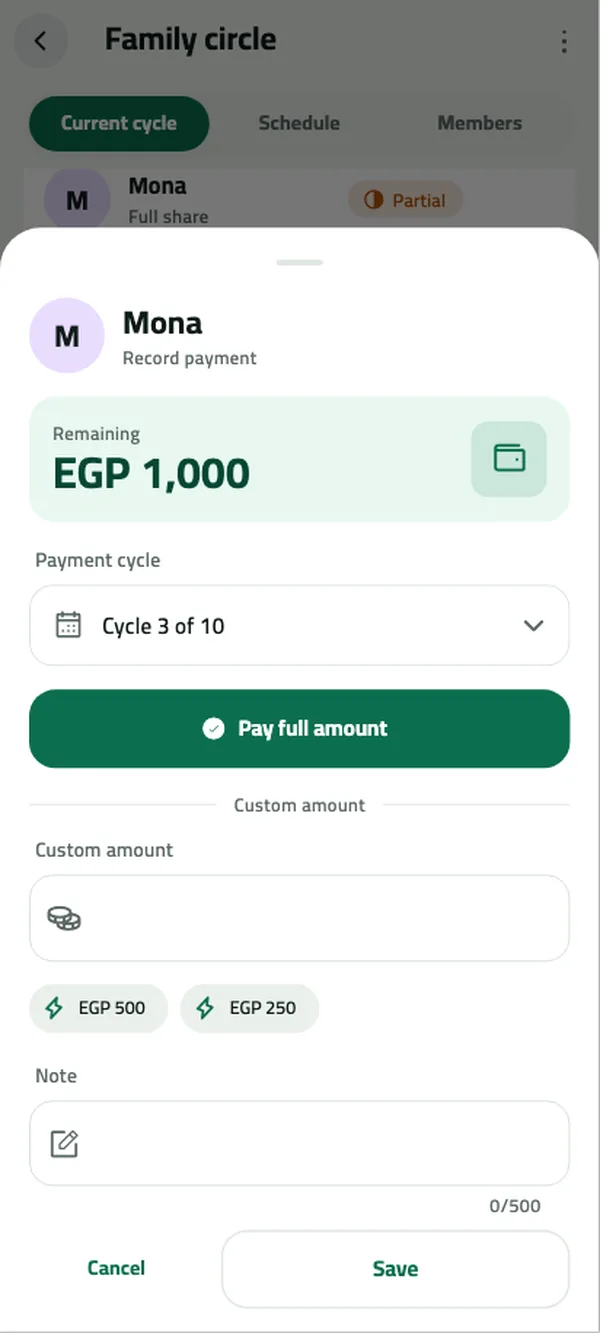
Pick the member and pay the full amount with one tap, or type what was paid. The app works out the rest across cycles.
Send a clean image of the circle to the family group. Nobody else needs the app.
Family and office circles side by side, monthly or weekly.
Save all your circles to a file and restore them on a new phone.
Follows your phone: light by day, dark at night.
With Arabic or Western digits, your choice.
When the pot is complete, the app celebrates with you.
Gameya Book never holds, moves or lends money. It is a ledger for interest-free savings circles between family and friends.
Name, amount, monthly or weekly, and the start date.
Order them yourself or by draw, with half or quarter turns if needed.
Log each payment as it comes in, and mark each payout.
It is a ledger for interest-free savings circles among family and friends. It does not lend, hold or move money and is not a financial service.
The ledger works offline. Ads need an internet connection.
Yes. A turn can be split into halves or quarters and assigned to its members.
Export a backup file, move it to your new phone yourself, then import it in the app.
Yes. Record partial payments or pay ahead for future cycles.
Yes, with ads. You can buy the one-time remove-ads option through Google Play.
No. Circle data stays on your device. A backup is a file you export yourself.
Free, no account, and your data stays on your phone.
Get it onGoogle Play